

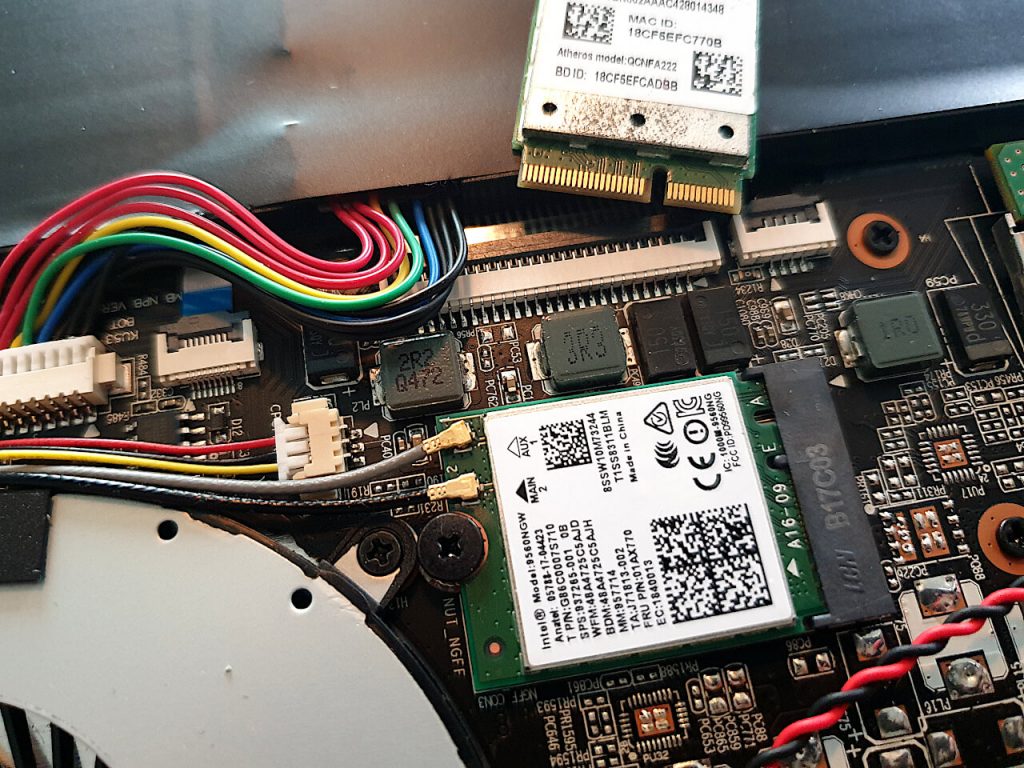

Purism has been building really good Linux notebooks for some time now. They make a point of using FOSS, free and open-source software, as much as possible. With my recently acquired Librem 15v3, that means having to make do with an Atheros NFA222* Wi-Fi card. It has open-source drivers, but their performance ranges from questionable to poor.
The solution is surprisingly simple: replace the Wi-Fi card!
A solid replacement is the Intel Wireless-AC 9260, whose drivers aren’t (fully?) open source, but represent a significant improvement. That’s a trade-off you have to be willing to make, though in my view the benefits far outweigh the compromise. There are also newer Wi-Fi 6 alternatives like the Intel AX200 or AX210 in the same M.2 2230 form factor, though I haven’t tested these myself.
The connector end of the card isn’t identical, but you can safely ignore that – and importantly, the hardware kill switches typical of Purism devices still work.
Just make sure you plug the cables back into Main and AUX the same way they were before, and reattach the small sticker over the cables so they don’t touch the casing.
This should work with any laptop. To be safe, you can grab the Windows drivers from Intel beforehand.
—
* Also listed under the model name Atheros QCNFA222
This post is part of my tutorials.
Leave a Reply