


— Edit September 2023: Also used recently for a fresh install of Thunderbird 115. Still needed in that version too. —
Some CalDAV providers, such as Nextcloud, seem to have issues when integrating with Thunderbird.
Particularly if you’re running your own Nextcloud instance, Thunderbird will ask for the calendar password every time you start it, even though it was saved correctly before.
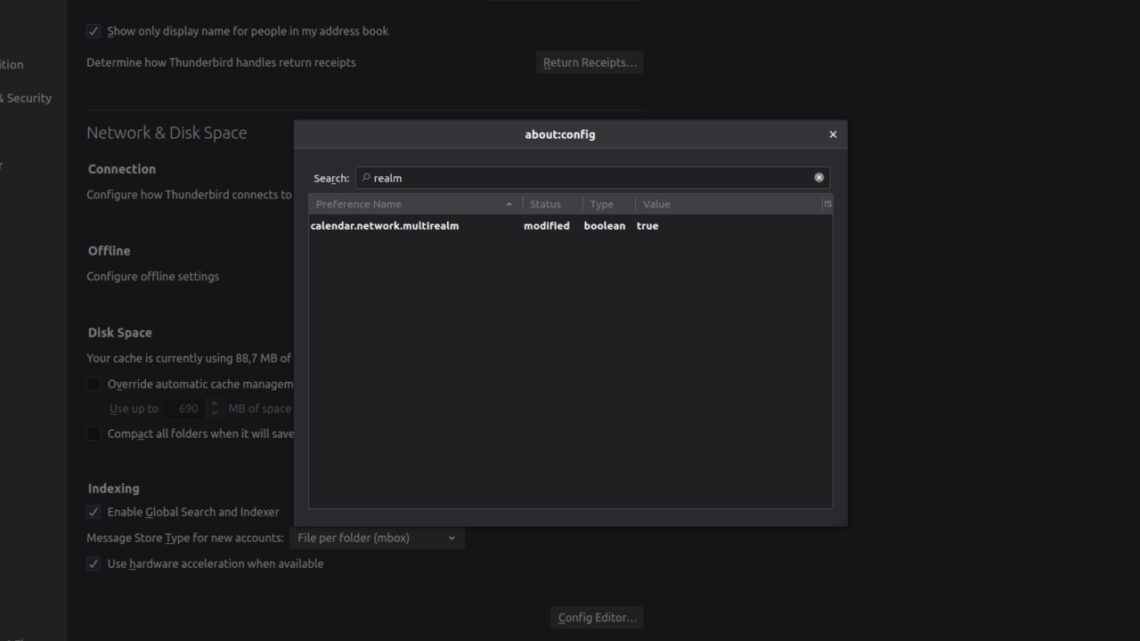
As with so many things, the fix is dead simple: scroll down to the “Config Editor” in the settings, click on it, accept the risk and search for calendar.network.multirealm. See the featured image above.
Double-click the entry to set it to true, close and reopen Thunderbird. You’ll be asked for all your calendar passwords once more if you have multiple calendars set up. After that, it just works. Yay!
This post is part of my tutorials.
Leave a Reply