

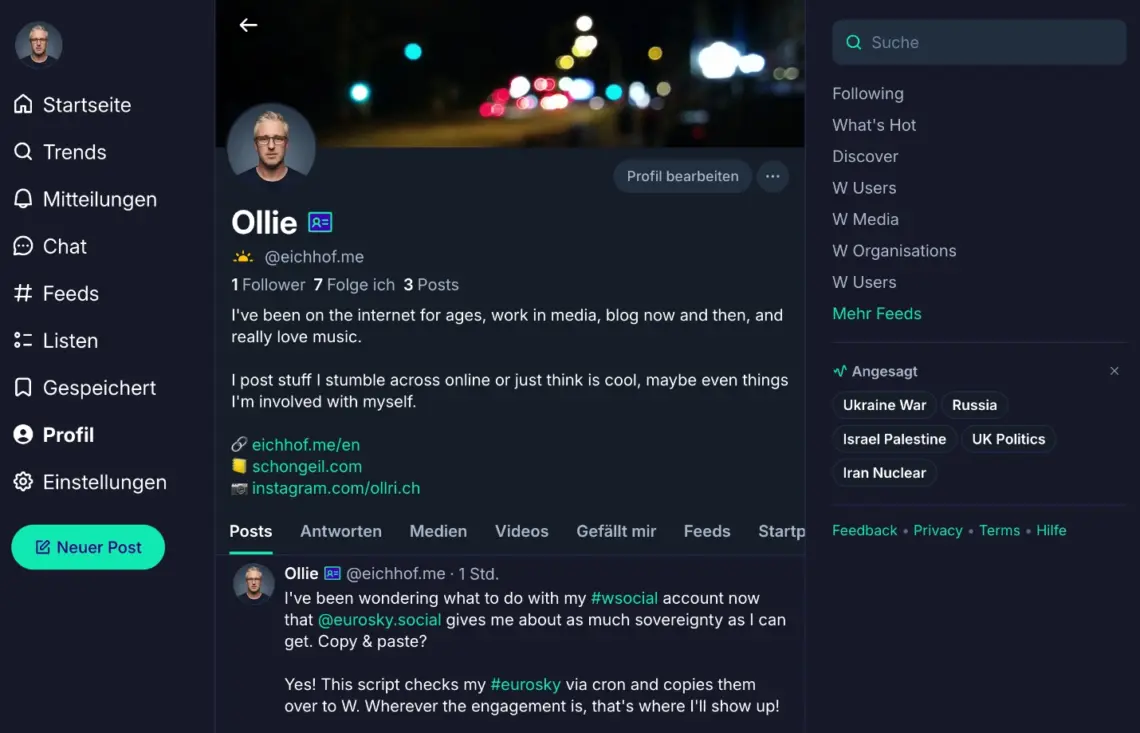

Alongside 8PM and Wedium, W social popped up over the last few days as yet another new European social network. Essentially just a Bluesky clone – which isn’t necessarily a bad thing, see Eurosky or LeafPlaza – but with its own authentication and partially closed source.
Since artificial scarcity still gets me and I wanted to grab @ollie, I signed up there too. What came with the rollout was pure disappointment.
While 8PM and Wedium at least try their own approaches (even if the concept isn’t new), W social really is just a clone. The frontend, the app, everything screams Bluesky. Just slightly rebranded, and some features are missing from the web frontend, such as setting your own URL as a handle.
When I noticed another W social user with their own URL as a handle, I got curious, since the feature just isn’t available in the frontend. So the digging began.
The AT Protocol is open source and the API well documented. In the case of using your own URL as a handle, it turned out to be quite straightforward after a bit of research.
1. Find your DID
The easiest way is in your browser on wsocial.eu. Click on your profile from the home page, for example. When you do, you’ll see a 200 response in the browser’s developer tools under Network, like this:
https://pds.wsocial.network/xrpc/app.bsky.feed.getAuthorFeed?actor=did:plc:YOUR_DID_HERE&filter=posts_and_author_threads&includePins=true&limit=30The unique value between …:plc: and &filter=… is what you’re looking for.
2. Set DNS TXT record
Same step as with Bluesky. A DNS record needs to be set for the domain you want to use as your handle.
- Host: _atproto.yourdomain.tld
- Type: TXT
- Value: did=did:plc:your-did-here
Wait for propagation and optionally verify: dig TXT _atproto.yourdomain.tld
3. Create a session
curl -s -X POST "https://pds.wsocial.network/xrpc/com.atproto.server.createSession" -H "Content-Type: application/json" -d '{"identifier":"YOURNAME.wsocial.eu","password":"YOUR_PASSWORD"}'Copy the accessJwt field from the response.
4. Update the handle
curl -s -X POST "https://pds.wsocial.network/xrpc/com.atproto.identity.updateHandle" -H "Authorization: Bearer YOUR_ACCESSJWT" -H "Content-Type: application/json" -d '{"handle":"yourdomain.tld"}'Empty 200 response = done. Your handle is now @yourdomain.tld.
If that sounds too complicated, head over to bsky.app, choose an alternative hosting provider during login, enter https://pds.wsocial.network there, and then use your regular W social login credentials. Through this frontend, you can then set up a domain as your handle again in the options. The DNS entry step remains, though.
If you’re wondering how to populate your profile: atproto-pds-mirror mirrors an existing AT Proto profile (e.g. from Eurosky) to another PDS.
This post is part of my Tutorials page.
Leave a Reply